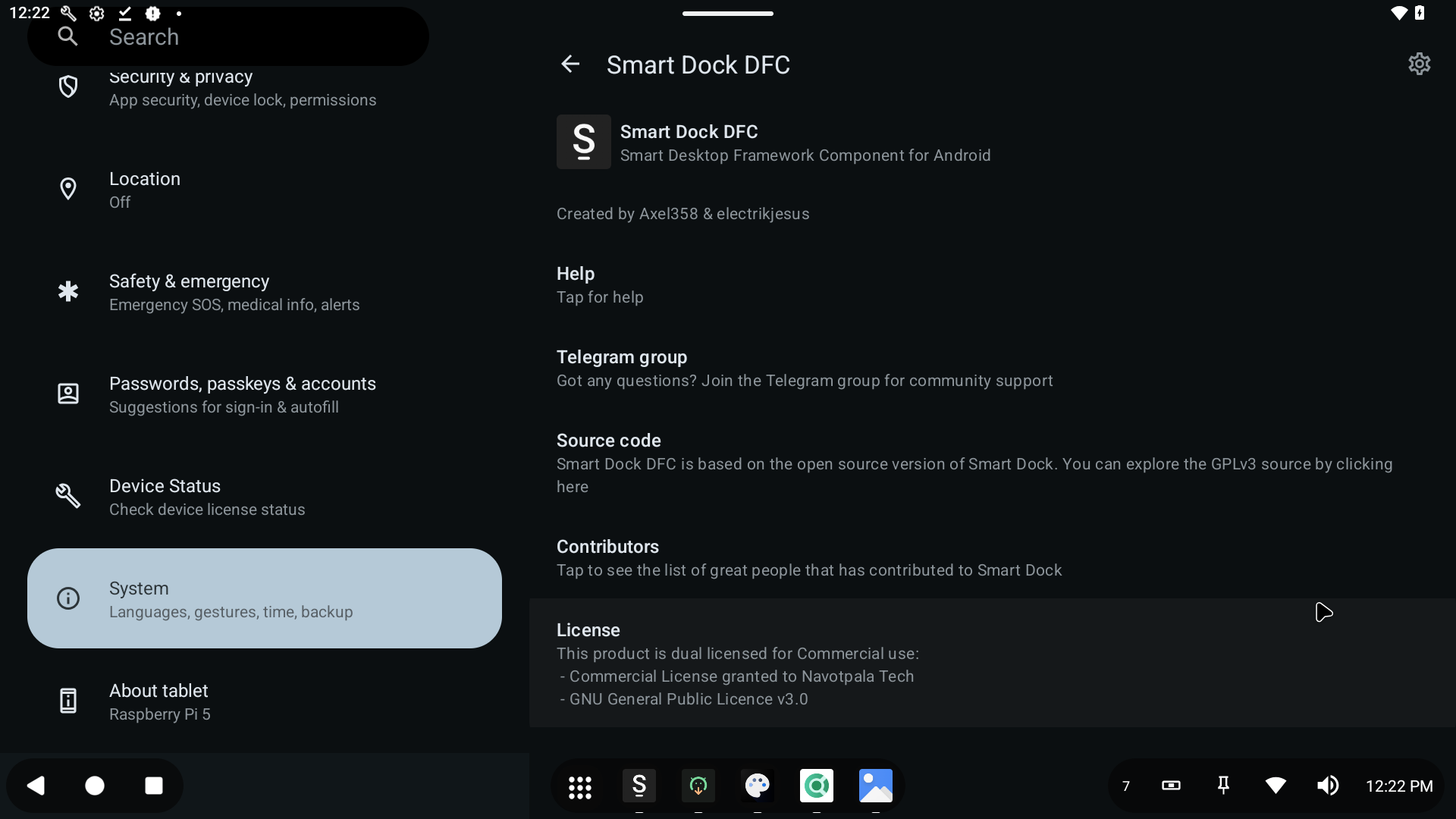
SmartDock DFC
Desktop Framework Component
A modular desktop framework for Android, designed to scale from simple navigation enhancements to complete multi-display desktop environments. Perfect for TV boxes, tablets, 2-in-1s, foldables, game consoles, phones, and any Android device seeking desktop-class UX, from minimal touch-ups to full desktop replacement.
Plug & Play
One project folder, one line configuration. Drop into any Android build for ARM, x86, tablets, phones, TV boxes, or specialty Android devices.
Fully Customizable
Comprehensive theming, scaling, and layout options to match your brand and hardware.
Multi-Display Ready
Virtual touchpad, per-display density control, and advanced peripheral support for professional setups.
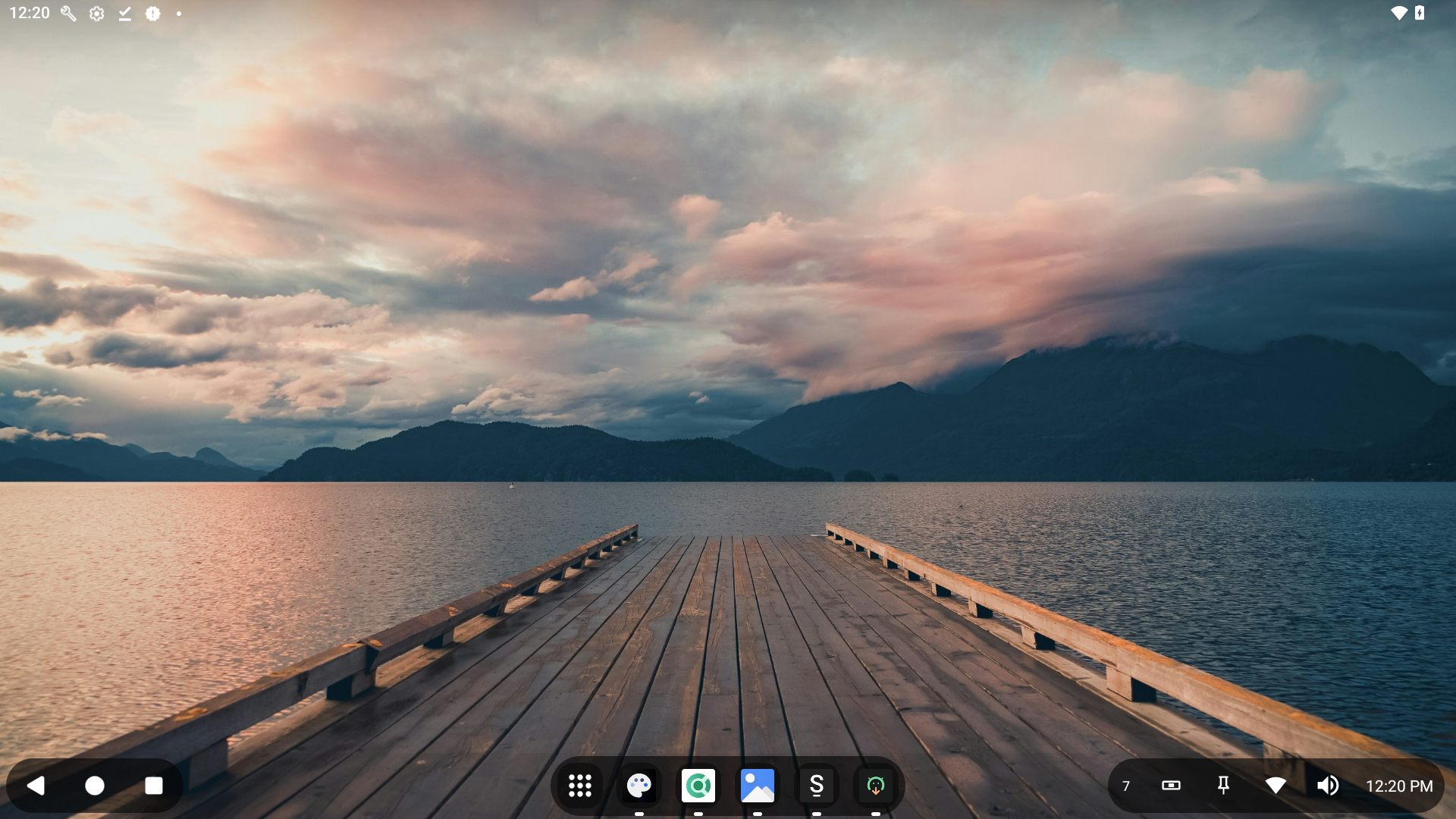
From Android Phones to Desktop Workstations
SmartDock DFC adapts to any Android device form factor: phones with desktop mode, tablets, 2-in-1 convertibles, large-screen foldables, TV/media boxes, game consoles, and laptop devices. Deploy as little as gesture navigation or as much as a complete desktop shell across x86 and ARM Android platforms.

Universal Android Form Factor
Phones, tablets, 2-in-1s, foldables, TV boxes, game consoles - any Android device, any architecture
Modular Integration
From navigation-only to full desktop shell - choose what your Android build needs
OEM/ODM Ready
Perfect for manufacturers building desktop-first or hybrid Android devices
Look. Feel. Flow.
Whether you're building a phone with external display support (Miracast, DisplayLink, DisplayPort, MHL, HDMI, Chromecast, or other connections), a tablet-first device, or a full Android desktop, SmartDock DFC scales to your vision. Integrates navigation, taskbar, and multi-window management.
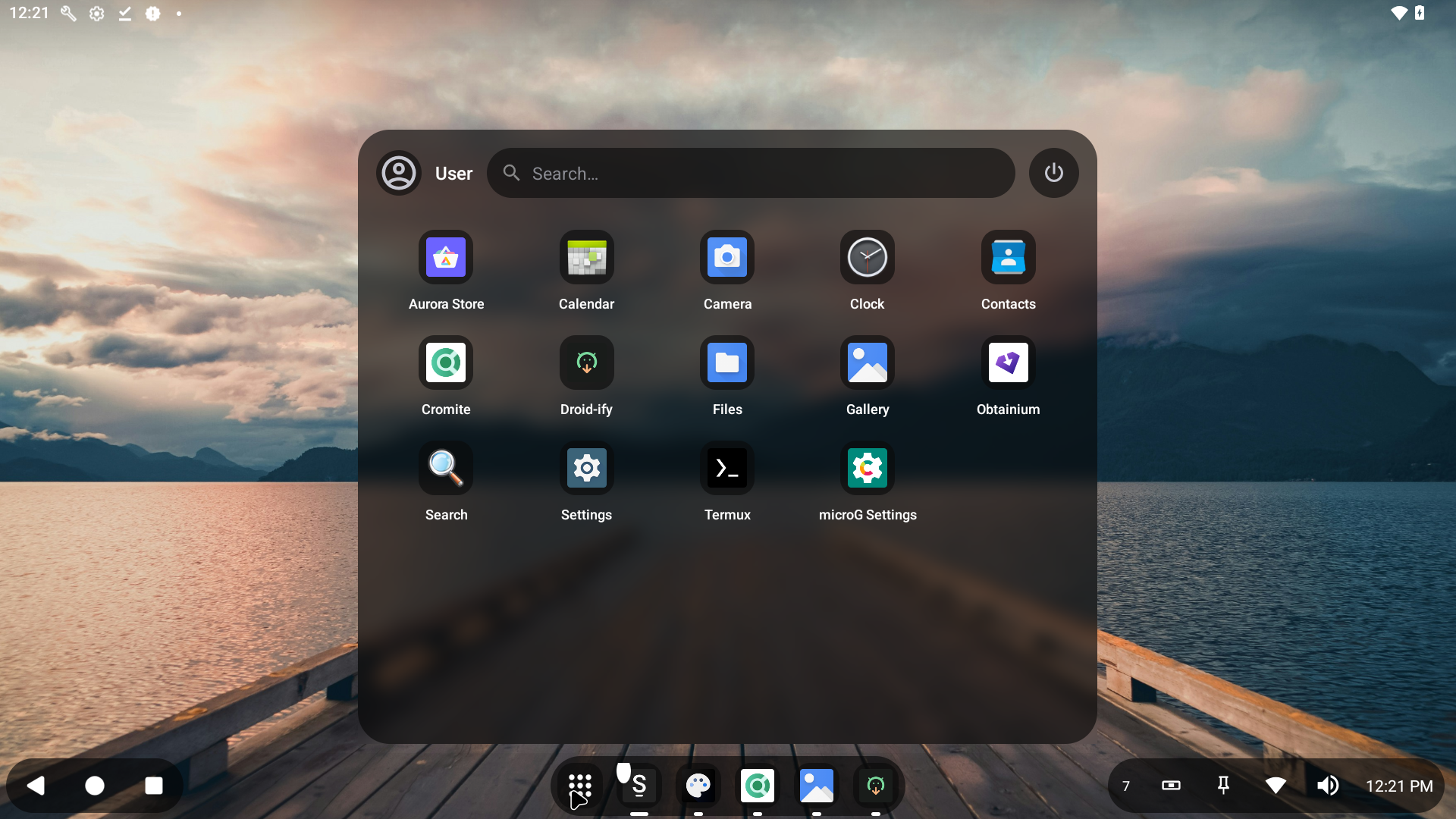
Desktop-Class Taskbar
Dynamic application management with running task indicators, multi-instance support, and contextual actions. Your workflow, optimized.
- ✓Auto-pin logic for windowed apps
- ✓Customizable constraints and layouts
- ✓Island mode for floating dock experience
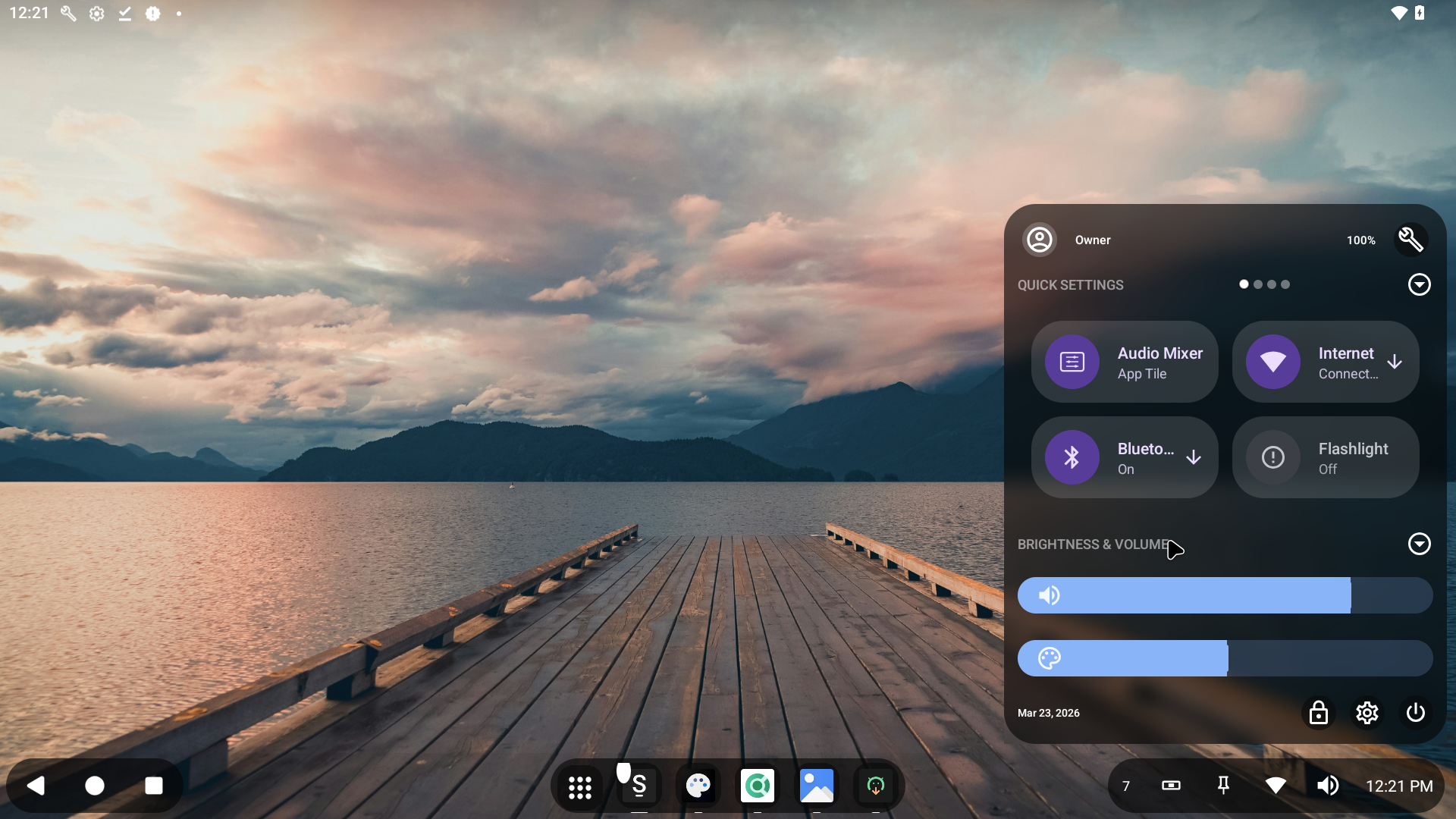
Expressive Quick Settings
A reimagined notification and quick settings panel built with Material 3 design tokens. Live updates, intuitive controls, beautiful animations.
- ✓Paginated QS tiles with visual indicators
- ✓Expressive brightness and volume sliders
- ✓Configurable panel scaling and dimensions
Professional Workspace
Virtual touchpad, per-display density controls, and intelligent SmartDock instances for every connected display. Built for productivity.
- ✓Floating virtual touchpad with gestures
- ✓Per-display DPI and scaling control
- ✓Filterable display types (Internal, External, Virtual)
Deployment Examples
See how SmartDock DFC adapts to different device types and use cases, from minimal navigation enhancements to complete desktop environments.
Phone with External Display Support
Minimal footprint with on-demand desktop features via Miracast, DisplayLink, DisplayPort, MHL, HDMI, Chromecast, or other display connections
Configuration
- •SmartDock disabled by default on internal display
- •Auto-enable when external display connected (Miracast, DisplayLink, DisplayPort, MHL, HDMI, Chromecast, etc.)
- •Optional: Show notification prompting user to launch virtual touchpad
- •Basic navigation bar remains on phone display
Benefits
- ✓Zero impact on phone battery when display disconnected
- ✓Instant desktop experience when docked
- ✓Touch-friendly virtual touchpad for secondary displays
- ✓Perfect for DeX-style productivity modes
Tablet or 2-in-1 Device
Full desktop UX with adaptive layouts
Configuration
- •SmartDock enabled by default in landscape mode
- •Auto-hide in portrait/tablet mode or show minimal dock
- •Full taskbar with app menu and quick settings
- •Keyboard/mouse support with virtual touchpad option
Benefits
- ✓Smooth transition between tablet and desktop modes
- ✓Full productivity suite without external peripherals
- ✓Material 3 quick settings for modern UX
- ✓Perfect replacement for ChromeOS or Windows tablet mode
Kiosk & Point-of-Sale Systems
Navigation-only mode with essential controls
Configuration
- •Navigation bar only - no taskbar or quick settings
- •Classic nav buttons: Back, Home, Menu, Volume, Power
- •All customization options hidden via production lockdown
- •OEM-defined button layout and justification
Benefits
- ✓Familiar navigation for kiosk manufacturers
- ✓Brings back traditional navbar icons (vol, power, menu, etc.)
- ✓Zero end-user configuration - fully locked down
- ✓Minimal resource usage for embedded systems
Android TV Box or Game Console
TV-optimized Android desktop with remote control support
Configuration
- •Full SmartDock enabled with TV-friendly scaling
- •Large icons and text for 10-foot interface
- •D-pad navigation optimized for remote controls
- •Optional: Virtual touchpad for attached mouse
Benefits
- ✓Better than stock Android TV launcher
- ✓Desktop-class multitasking on big screens
- ✓Full app compatibility - not limited to TV apps
- ✓Perfect for retro gaming boxes and HTPC setups
These are just examples. SmartDock DFC's extensive property system allows for virtually any configuration, from invisible background services to full-featured desktop environments. Contact us to discuss your specific use case.
Vendor & OEM Configuration
SmartDock DFC provides an extensive persist.bass.sd.* property system for deep integration by OEMs, ODMs, and Android developers, perfect for devices ranging from phones with desktop mode to dedicated Android workstations.
Production Lockdown
Hide all customization options in Settings for managed or kiosk-mode devices.
Onboarding Bypass
Automatically skip first-boot wizard for pre-configured enterprise deployments.
System UI Replacement
Deep functional overrides to replace stock status bar and navigation bar via DPM integration.
Dynamic Contrast Adjustment
Automatic icon contrast flipping based on real-time wallpaper analysis.
Initial Layout Persistence
OEM-defined default layouts (Phone, Tablet, Desktop) and dock states per device model.
Justification Control
Fine-grained horizontal alignment (Left, Center, Right) for navigation buttons.
Privileged Taskbar Control
Native ability to disable the AOSP 12L+ Taskbar on large-screen devices via overlay management.
Enterprise-Ready: All configuration options can be set via system properties, making SmartDock DFC perfect for ODM/OEM deployments with zero end-user configuration required.
Core Features
A comprehensive, modular feature set that transforms Android Android builds, from simple gesture navigation for phones to full desktop environments for tablets, 2-in-1s, and workstation devices.
Productivity & Workflow
Desktop-class task management and application control
Taskbar & Application Management
Navigation & Input
Advanced gesture controls and peripheral management
Navigation & Gestures
Virtual Input & Peripheral Control
Quick Settings & Notifications
Material 3 panel with real-time system control
Quick Settings & Notification Center
System Tray & Status
Theming & Customization
Complete visual control and personalization
Visual Theming
Layout & Structure
Advanced System Integration
Deep OS-level features and multi-display support
Display & Window Management
System Control
Coming Soon
We're actively developing new features to make SmartDock DFC even better. Here's what's on the way:
Smart Input Routing
Route specific input devices (like USB mice or touchscreens) to specific displays for true multi-display control.
Virtual Desktop Switcher
Visual workspace switching in the dock to manage multiple virtual desktops and organize your apps.
Display Memory
Automatically remember and restore your preferred scaling and settings for each monitor you connect.
Smart Taskbar Adaptation
Automatically adjust the taskbar layout based on screen size to maximize usable space on any display.
Enhanced Window Controls
Improved window snapping, arrangement, and management features for better multitasking workflows.
How to Obtain SmartDock DFC
SmartDock DFC is available as a Bass OS addon or separately for integration into any Android build. Perfect for phone manufacturers adding desktop mode, tablet/2-in-1 OEMs, TV/media box vendors, game console developers, and anyone building desktop-first Android devices. The plug-n-play architecture drops into your source tree with a single-line configuration.
Download a Demo
Try SmartDock DFC today with our pre-built Bass OS demo images. Available for Raspberry Pi 5 and other supported devices with Android 16 and DFC pre-installed.
View DownloadsBass OS Custom Build
Need a custom Bass OS build with SmartDock DFC for your supported device? Our Custom Build Service delivers tailored Bass OS images with DFC integration for your specific hardware.
Request Custom BuildODM/OEM Licensing
Building a custom Android OS for phones, tablets, boxes, or specialized hardware? License SmartDock DFC for integration options, from navigation enhancements to complete desktop UX.
Contact for LicensingReady to Elevate Your Android Device?
Whether you're shipping Android phones with desktop mode, tablet-first devices, TV boxes, or full Android workstations, SmartDock DFC scales to your needs. Contact us to discuss integration, licensing, and how to bring desktop-class UX to your Android hardware platform.
Request Information